AidGen
Introduction
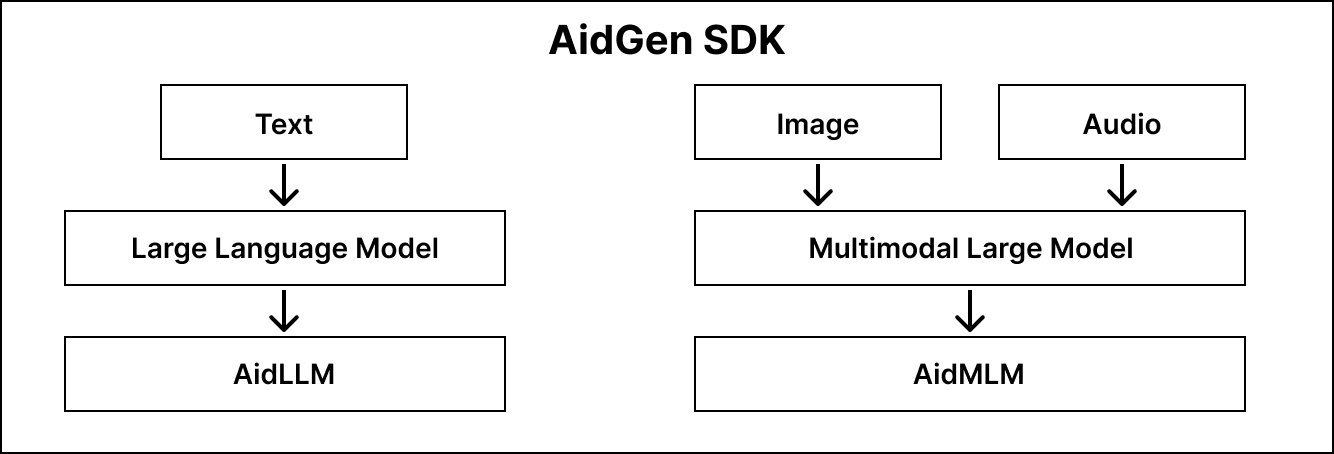
AidGen is an inference framework specifically designed for generative Transformer models, built on top of AidLite. It aims to fully utilize various computing units of hardware (CPU, GPU, NPU) to achieve inference acceleration for large models on edge devices.
AidGen is an SDK-level development kit that provides atomic-level large model inference interfaces, suitable for developers to integrate large model inference into their applications.
AidGen supports multiple types of generative AI models:
- Language large models -> AidLLM inference
- Multimodal large models -> AidMLM inference
The structure is shown in the diagram below:
💡Note
All large models supported by Model Farm achieve inference acceleration on Qualcomm chip NPUs through AidGen.
Support Status
Model Type Support Status
| AidLLM | AidMLM | |
|---|---|---|
| Text | ✅ | / |
| Image | / | 🚧 |
| Audio | / | 🚧 |
✅: Supported 🚧: Planned support
Operating System Support Status
| Linux | Android | |
|---|---|---|
| C++ | ✅ | / |
| Python | 🚧 | / |
| Java | / | 🚧 |
✅: Supported 🚧: Planned support
Large Language Model AidLLM SDK
Installation
sudo aid-pkg -i aidgen-sdkModel File Acquisition
Model files and default configuration files can be downloaded directly through the Model Farm Large Model Section
API Documentation
Example
Deploying Qwen2.5-0.5B-Instruct on Qualcomm QCS8550
Visit Model Farm: Qwen2.5-0.5B-Instruct model details page and download model resources
Install AidGen SDK
sudo aid-pkg -i aidgen-sdk- Extract model resources to directory
cd /home/aidlux
cp -r /usr/local/share/aidgen/examples/genie ./
cd genie/data

# Extract model resources to directory genie/data
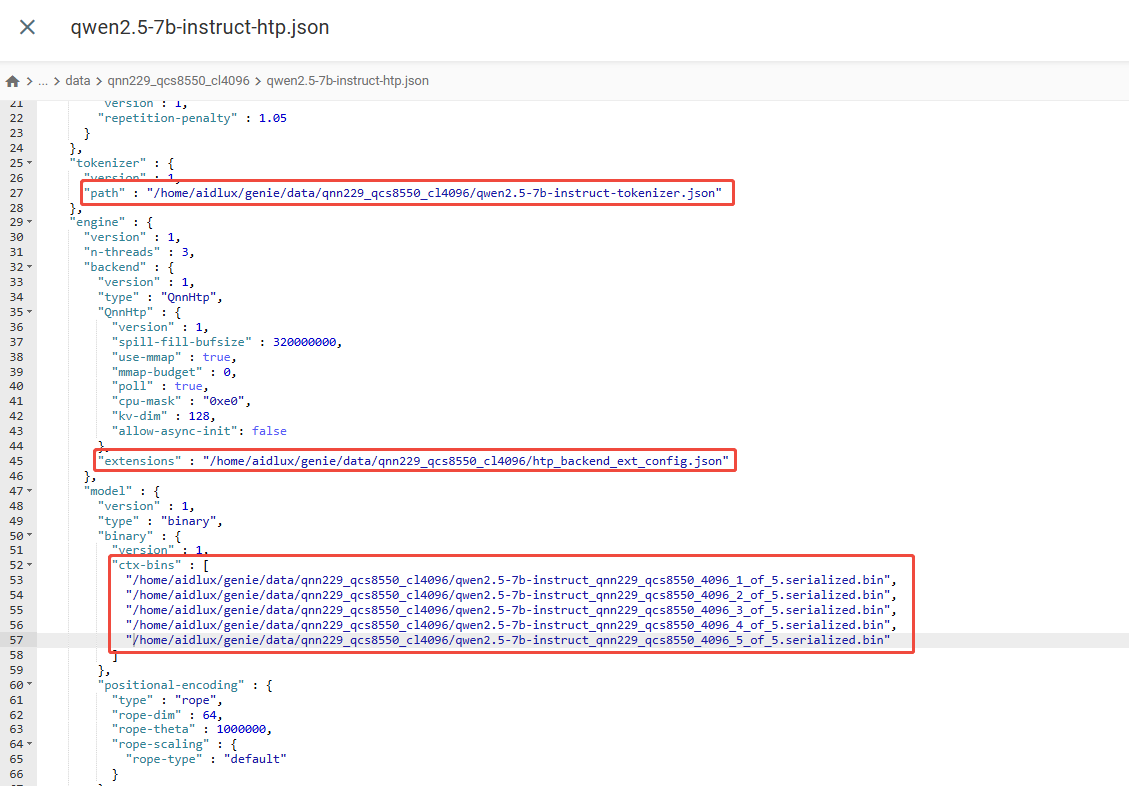
unzip -d qnn229_qcs8550_cl4096 qnn229_qcs8550_cl4096.zip- Configuration File Modification
Ensure that file paths in the configuration file are accessible, as shown in the diagram below:
- Chat Template Setup
💡Note
For dialogue templates, please refer to the aidgen_chat_template.txt file in the model resource package downloaded from Model Farm
Modify the test_prompt_serial.cpp file according to the large model's template:
    if(prompt_template_type == "qwen2"){
        prompt_template = "<|im_start|>system\nYou are Qwen, created by Alibaba Cloud. You are a helpful assistant.<|im_end|>\n<|im_start|>user\n{0}<|im_end|>\n<|im_start|>assistant\n";
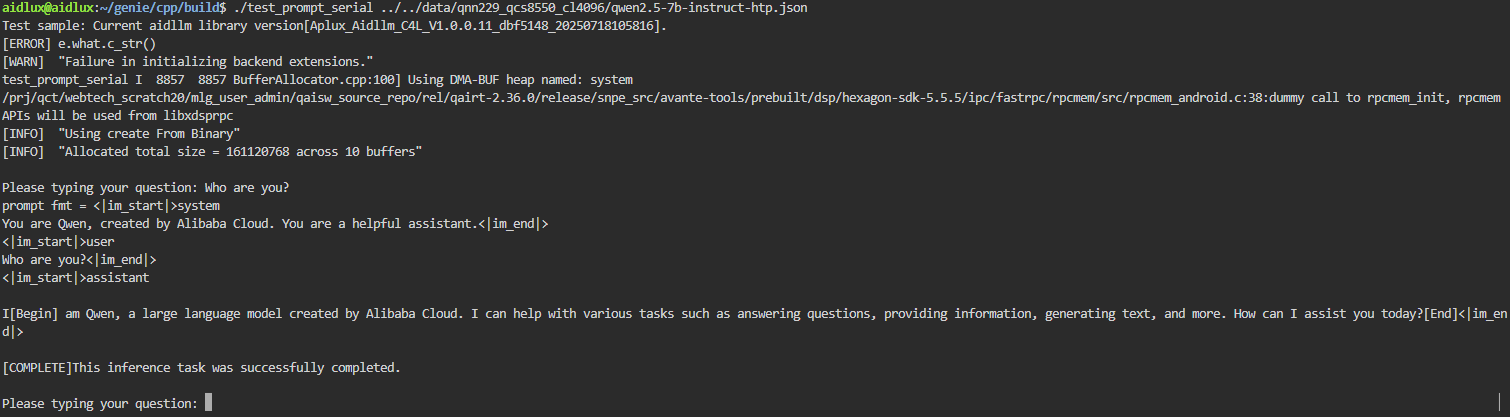
}- Compile and Run Example
mkdir build && cd build
cmake .. && make
# After successful compilation, run test_prompt_serial
./test_prompt_serial /home/aidlux/qnn229_qcs8550_cl4096/data/qwen2.5-0.5b-instruct-htp.json- Enter dialogue content in terminal