AIMO User Guide
Introduction
AI Model Optimizer (AIMO) is a web-based interactive AI model deployment and optimization platform designed to help users quickly migrate, deploy, and run various machine learning models on edge chipsets. AIMO can convert models from other mainstream frameworks into multiple formats such as TFLite, ONNX, DLC, and more.
AIMO provides two deployment methods:
- SaaS-based cloud service (AIMO Online)
- Private Docker deployment (Contact Sales)
AIMO integrates various model conversion tools to simplify the conversion process, allowing users to complete model conversion with zero code and low cost. Additionally, for Qualcomm platforms, AIMO includes extra operator libraries to improve the success rate of model conversion. For models containing UDO operators, they must be used with the AidLite SDK inference engine (see AidLite SDK Developer Documentation for details).
How to Use
The AIMO workflow is shown in the diagram below:

Step 1: Upload Model
First, select the source model format, then drag and drop or click to upload the model to AIMO.
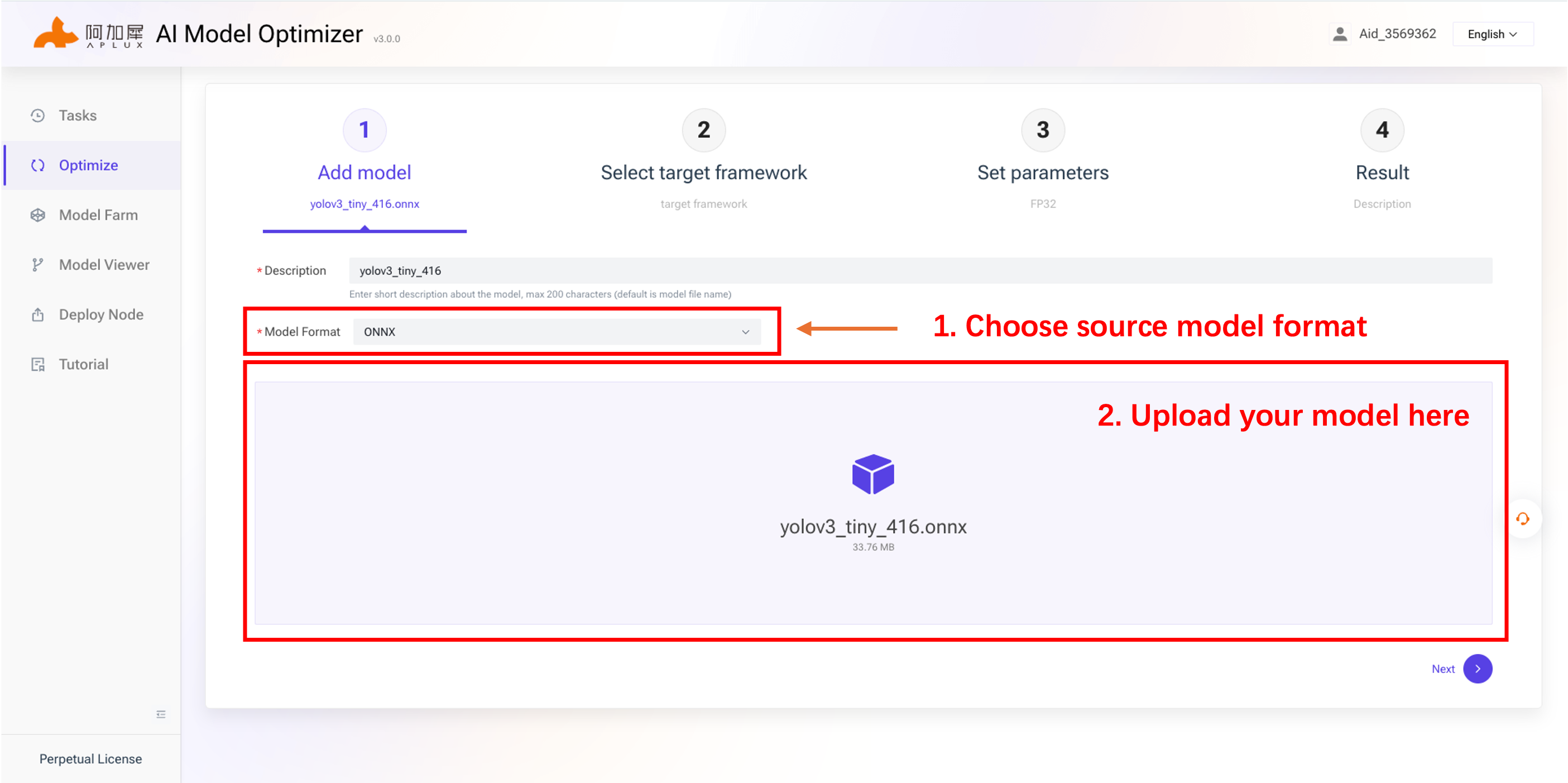
After a successful upload, the Description field will be auto-filled based on the model filename, and developers can manually edit it.
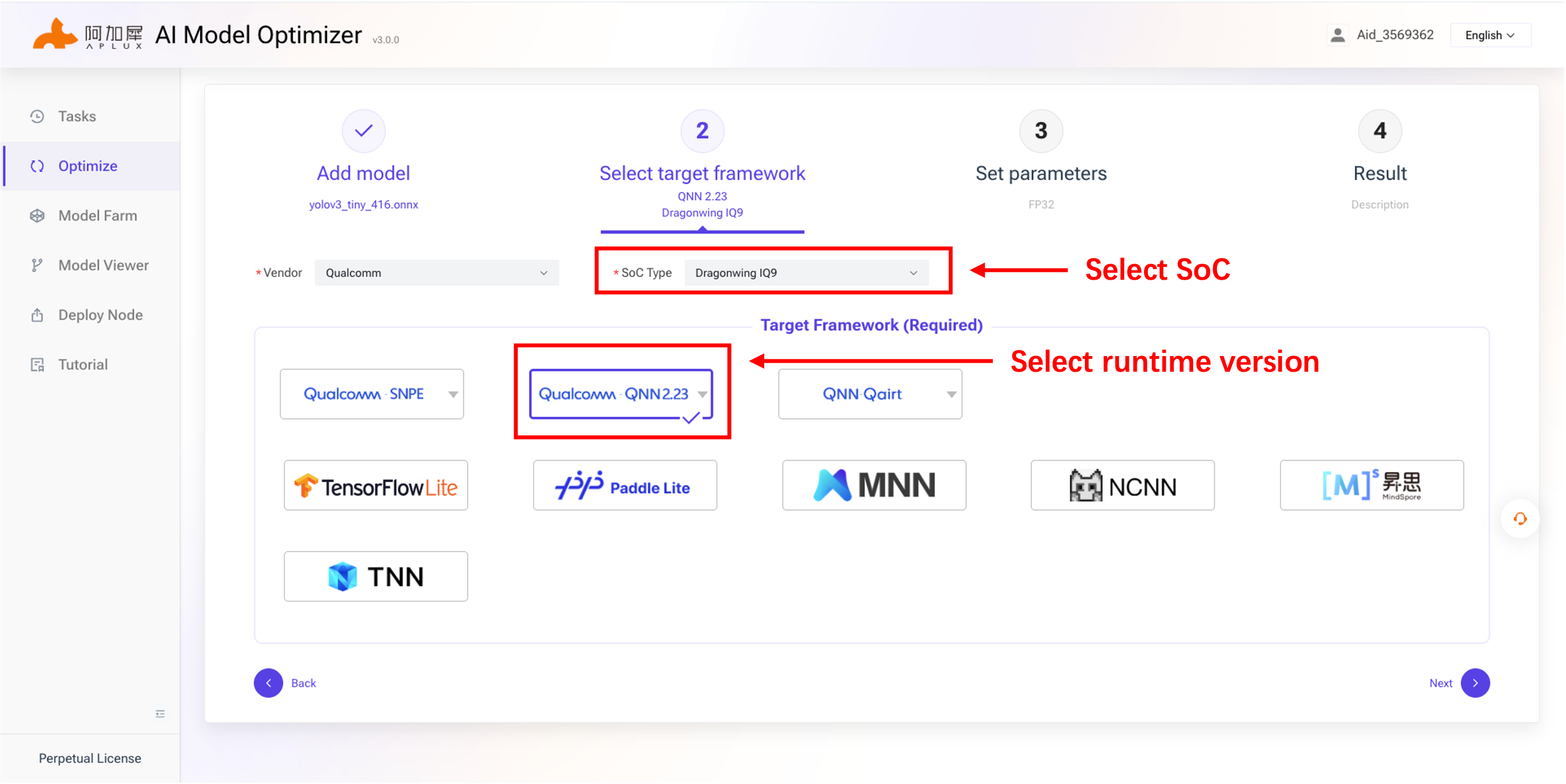
Step 2: Select Target Platform
In the second step, select the chipset model and Runtime version, as shown below:
Step 3: Set Parameters
The platform automatically parses the model node information, and users configure the quantization parameters.
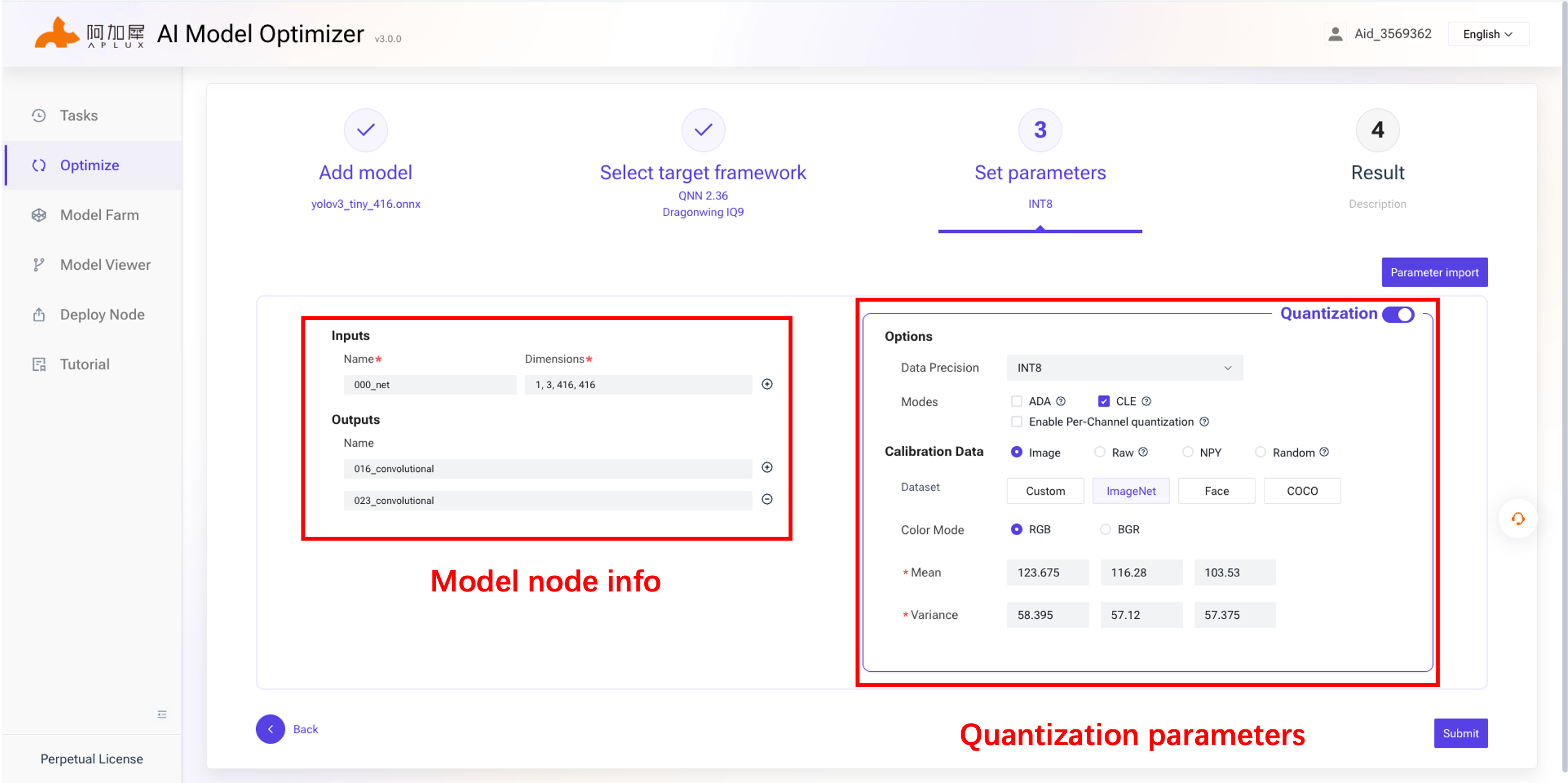
Using the image above as an example, the model optimization interface includes:
- Data precision: The data format precision to retain during model quantization, such as INT8 or INT16.
- Quantization mode: Provides multiple quantization strategies. CLE is generally selected by default, but users can also clear this option to use standard quantization.
- Calibration Data: Auxiliary data required for model quantization. Usually, dozens of samples from the training data are needed for calibration.
Step 4: Download Model
After the model conversion is complete, you can download the model.
The model optimization and conversion process may finish almost immediately, within a few seconds, or it may take several days, depending on the optimization and quantization settings.
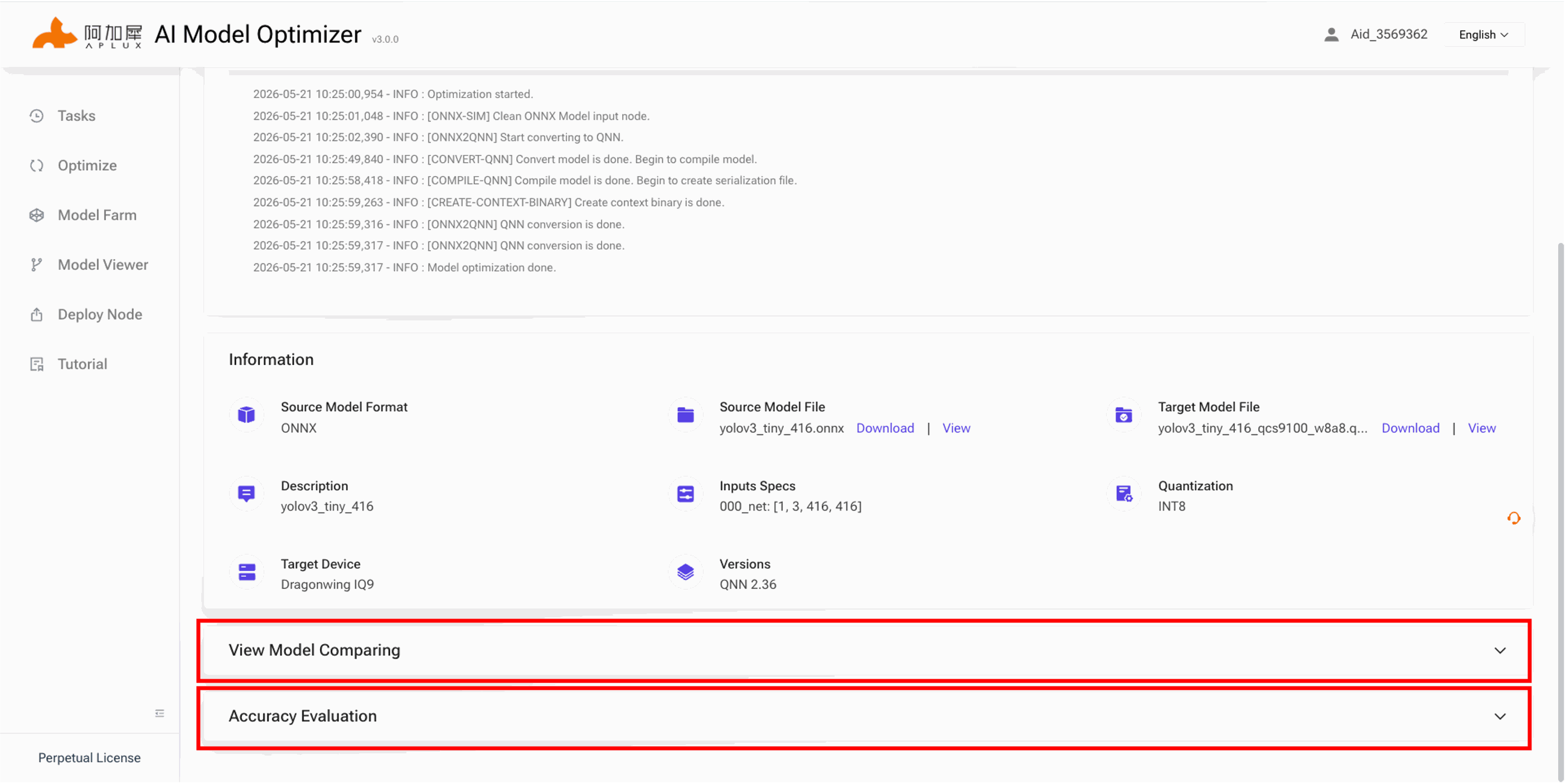
On the results page, you can compare the model structures before and after conversion online, and you can enable accuracy evaluation to perform an initial assessment of quantization accuracy.
Conversion Failed
If the conversion fails, the Process Log will show detailed error messages. Developers can refer to these logs to identify the cause of the failure.
Developers can refer to the FAQ to help diagnose the issue.
Example
Model Farm provides a large collection of models converted via AIMO for Qualcomm platforms. Developers can view the AIMO conversion steps in the model details page for reference.
Taking YOLOv5s INT8 as an example:
Visit Model Farm
Log in developer account
Search for YOLOv5s
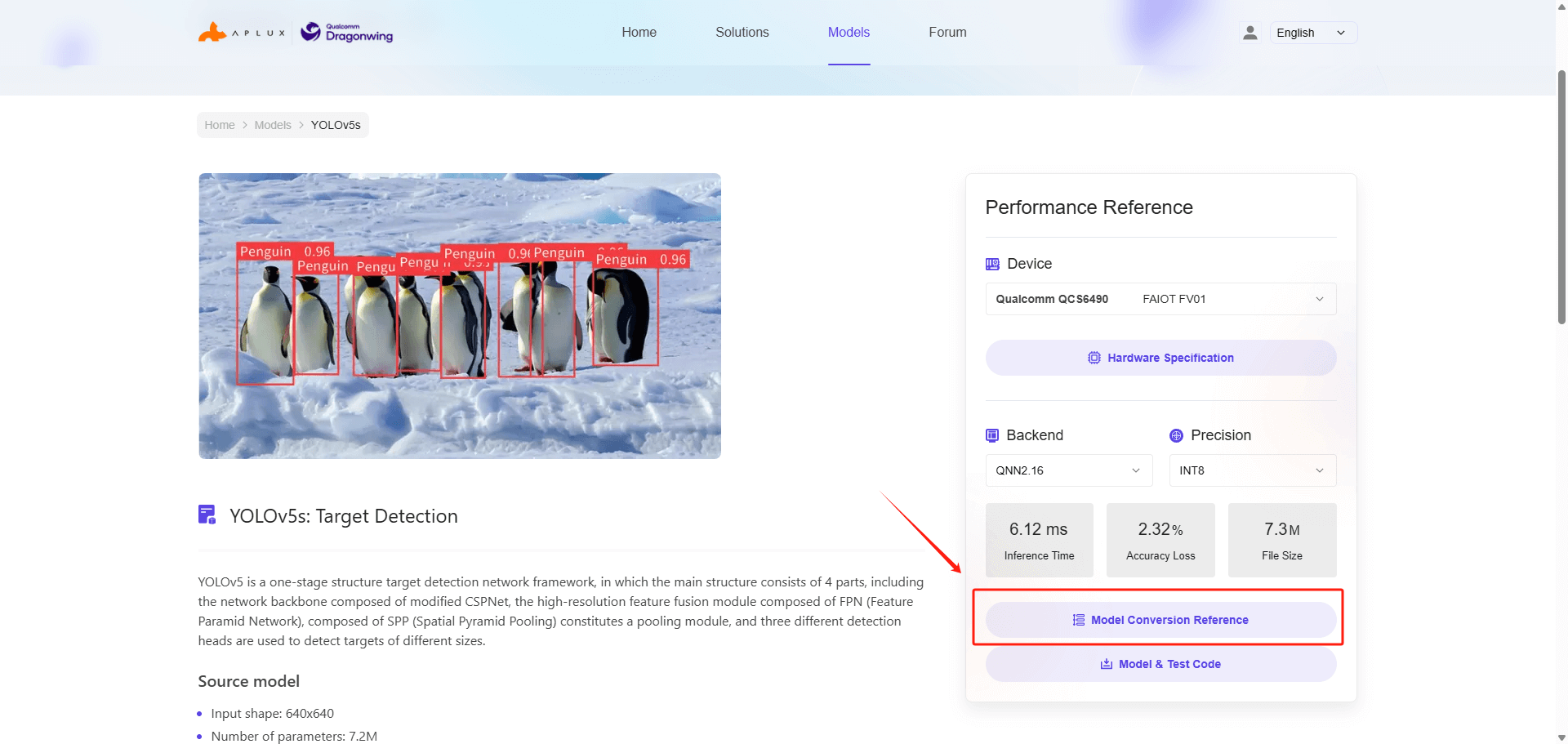
Enter the model detail page and click the Model Conversion Reference button under the performance section on the right