Preview User Guide
Introduction
Model Farm actively adapts cutting-edge and popular AI models. To give developers early access to our model release plans and performance parameters, we have launched Model Farm Preview.
Model Farm Preview follows the same usage methods and interface interactions as Model Farm. Developers can quickly view the performance metrics of models scheduled for release or get support by Contacting Aplux to obtain early access to model files and inference code.
💡Note
Model Farm Preview is intended only for viewing model adaptation status and performance parameters. Models cannot be directly downloaded for general use until they are officially released on the main Model Farm platform.
Quick Start
Model Farm Preview is used to showcase performance parameters in advance and does not support direct web downloads. Therefore, developers can access all information on this page without logging in.
Accessing Model Farm Preview
Developers can access the interface directly via this link: Model Farm Preview
Alternatively, you can enter the Preview interface through the Model Farm navigation:
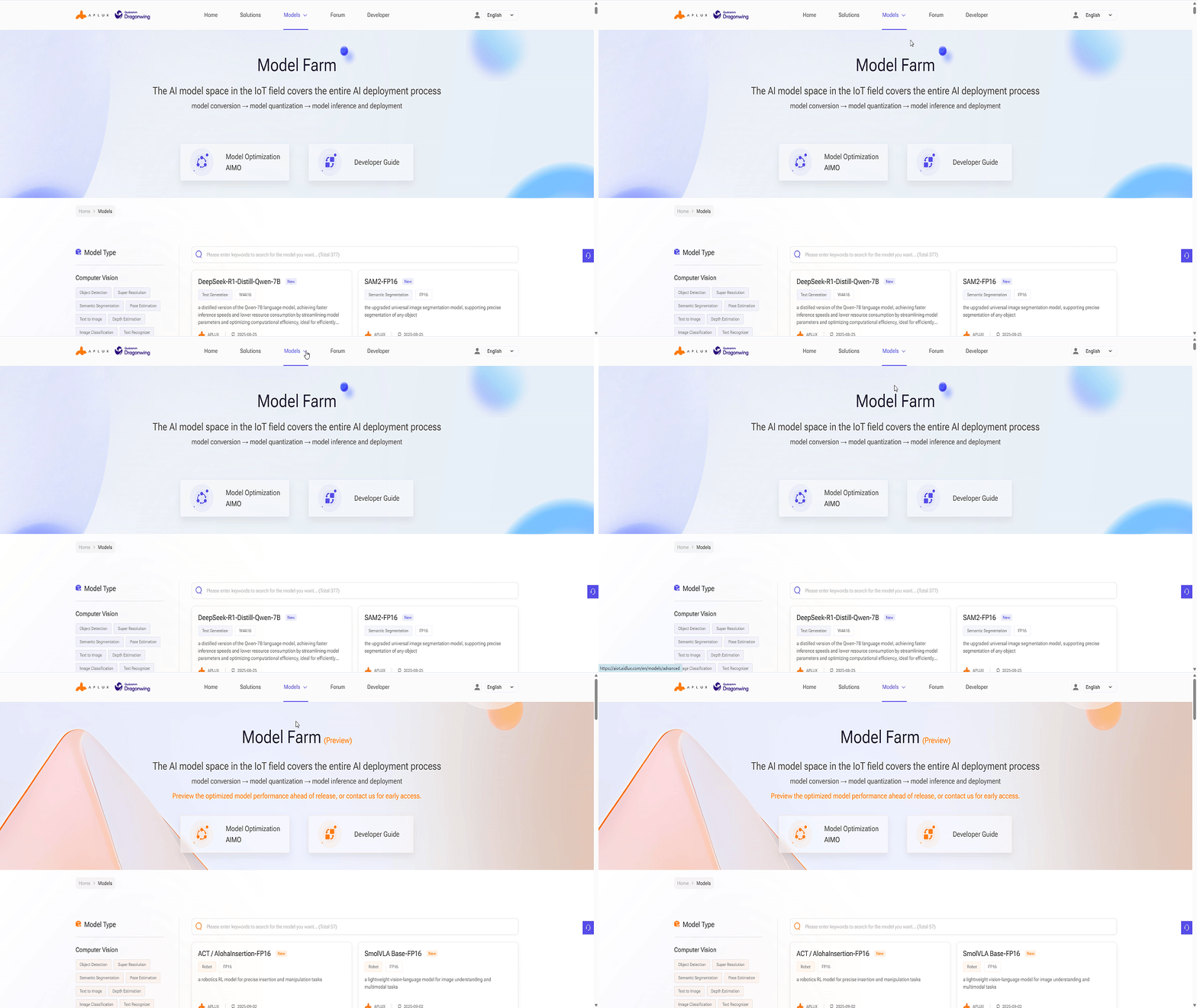
Viewing Models
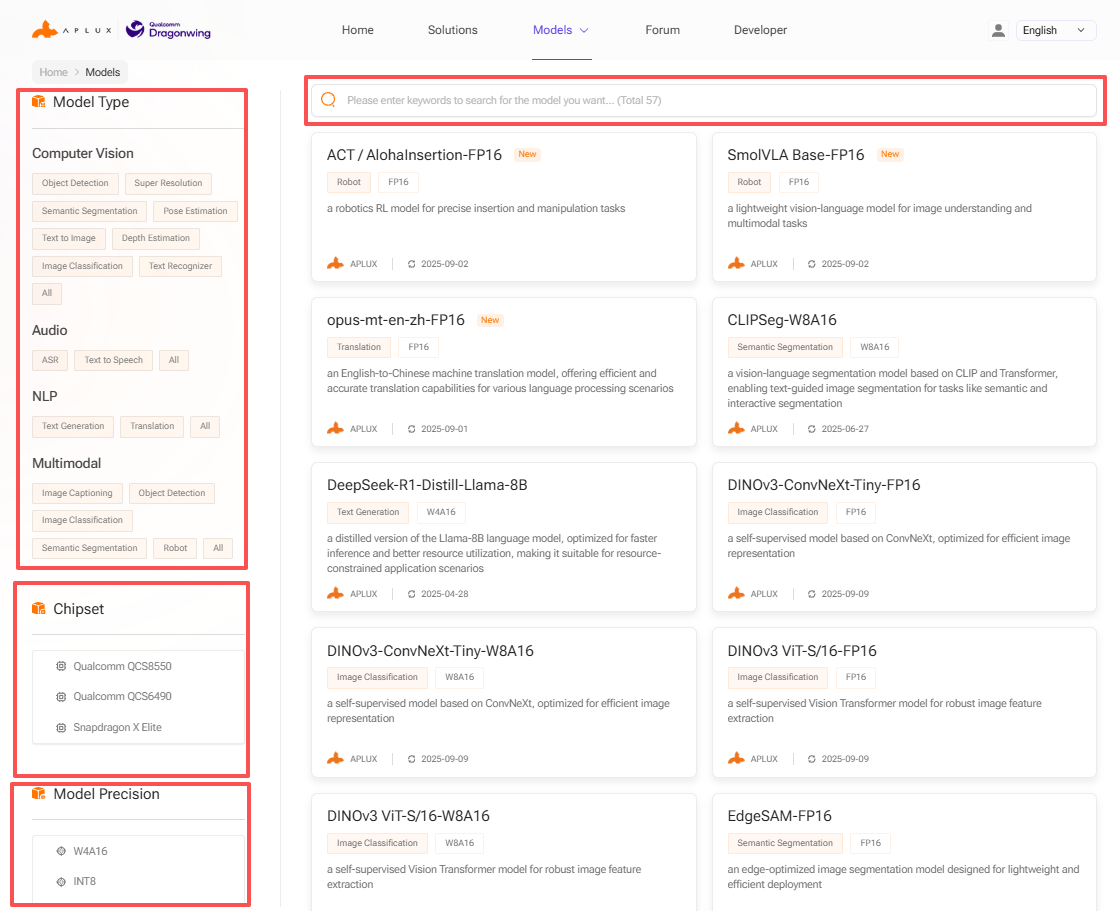
Developers can search for models on Model Farm Preview according to their needs to understand detailed specifications and perform quick evaluations.
Model Farm Preview provides multiple ways to filter and find models:
- Filter by model type
- Filter by model data precision
- Filter by chip platform
- Keyword search
Model Performance Reference
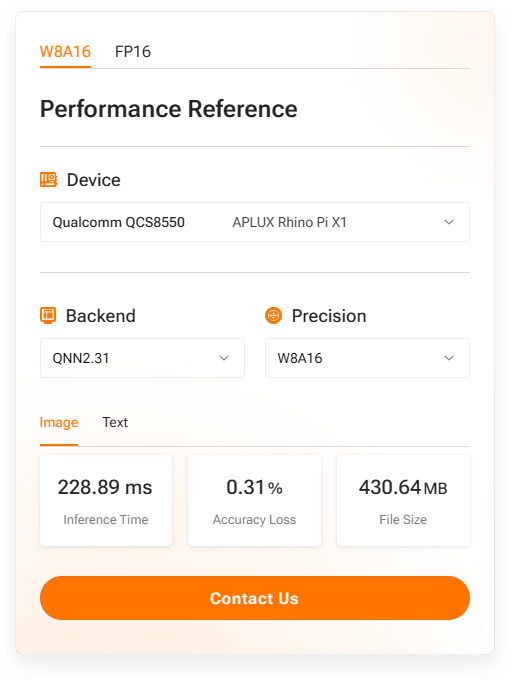
The model details page in Model Farm Preview provides measured performance of AI models on specific hardware:
- Device: The development board and chip model used for testing.
- AI Framework: The framework and version used for conversion and inference.
- Data Precision: The data precision of the converted model.
- Inference Latency: Measured execution time, excluding pre- and post-processing.
- Accuracy Loss: Cosine similarity of the output matrix between the source model (FP32) and the converted model.
- Model Size: The file size of the converted model.
💡Note
For the same SoC, model performance may vary across different hardware specifications; these figures serve as a reference only.
Example of SigLIP-so400m on Rhino Pi-X1 (Qualcomm QCS8550):
Obtaining Model Files and Code for Preview Models
Models in the Preview section of Model Farm do not support direct web downloads. Developers can download these models on Aplux hardware using the mms command. For details, please refer to: Quick Start with MMS